Numuno Digital /
Car dealer websites: from stock listings to viewings
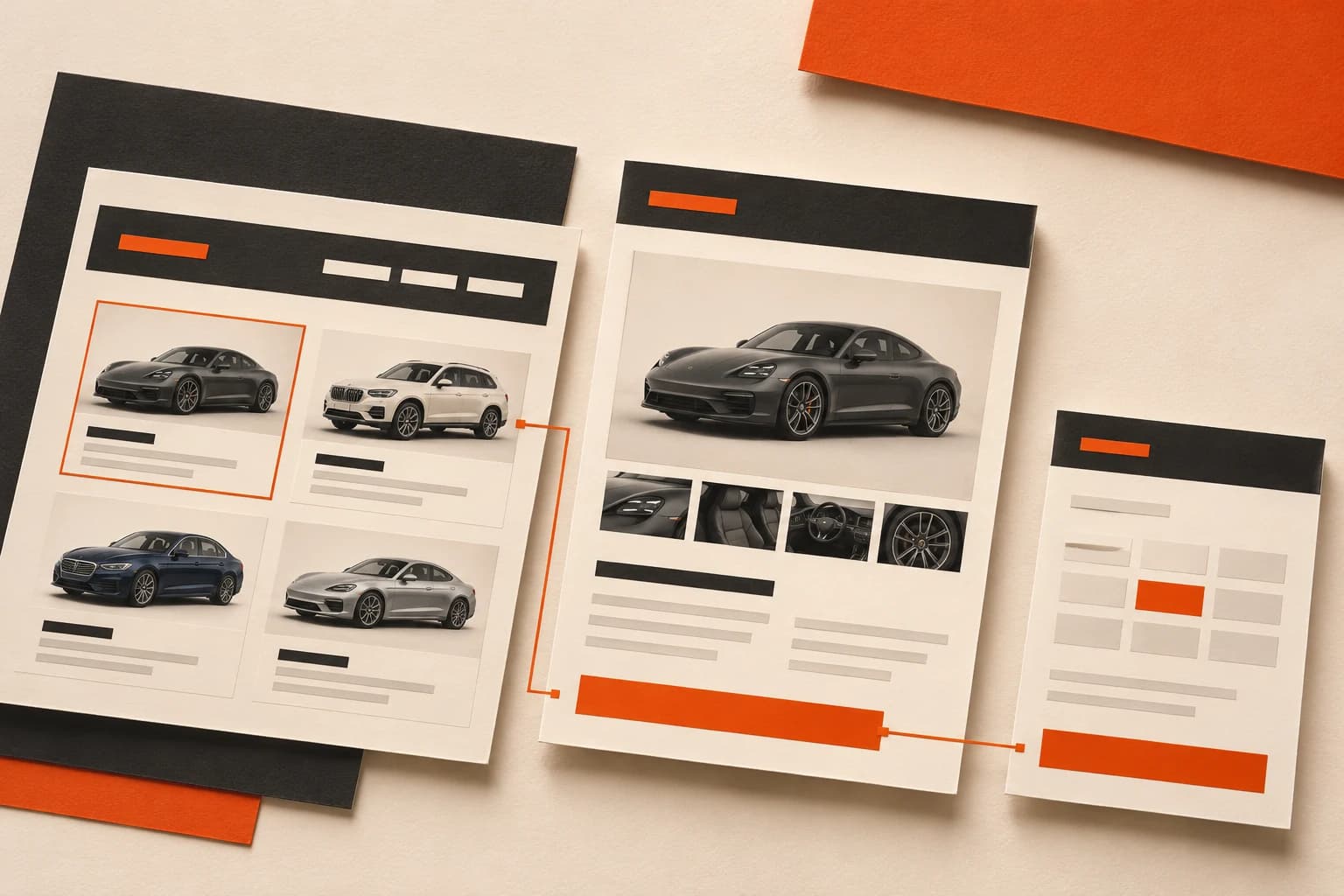
A used-car dealer website should help someone choose a vehicle and enquire about it without starting again. An attractive gallery is not enough if availability, pricing and the viewing process remain unclear. Plan the journey from stock list to received enquiry, and decide who will keep listings current before commissioning the design.
By Numuno Digital, an independent web design and marketing studio in Marbella.
Prepare one complete vehicle record
Gather the make, model, version, year, mileage, fuel, transmission, price and availability of a real vehicle. Add relevant equipment and conditions the business can confirm. A consistent record makes listings easier to compare and exposes missing information before publication.
Make the meaning of the price clear. Explain applicable conditions or additional costs alongside the offer, rather than presenting a monthly instalment as the vehicle price. Financing and warranty wording needs review by the business; the designer should not invent commercial terms.
Choose filters that suit your actual stock
A small catalogue can start with make, budget, fuel and transmission. Add controls when they help distinguish the vehicles you sell. Copying every filter from a large marketplace can make a smaller stock list harder to use.
Test on a phone: set a budget, open a vehicle and return with the selection preserved. Empty results should offer a clear way to change filters or see alternatives. Check that pricing, controls and buttons remain usable without overlapping elements.
Show the actual vehicle clearly
Use authorised photographs of the exterior, interior and relevant details of each unit. Consistent framing helps presentation, but should preserve the information a visitor needs before travelling to view the car. Do not present images of another vehicle as evidence of its condition.
Agree mobile gallery behaviour and optimised images. Google recommends clear images, relevant surrounding content and useful alternative text. These practices help interpretation without guaranteeing rankings. Keep illustrations and demonstration stock clearly labelled.
Give every vehicle a shareable page
A separate address lets you share the exact car in a message or advertisement and receive its reference with the enquiry. Visitors should not have to locate it again inside a long homepage.
Link vehicle pages from the catalogue as well as offering filters. Google explains that its crawler generally does not submit internal searches to discover products. Include navigation, indexing and sitemap checks in the project. Publishing a page does not guarantee its appearance in search.
Separate a viewing request from reserving a car
A request to view a car can open a short enquiry with the vehicle already identified. Ask only for the information needed to respond. If someone selects a time, say whether it is a preference awaiting confirmation or a confirmed appointment. Agree who receives and records the request.
A paid vehicle reservation is a different function. Do not assume it comes with a viewing form. A live appointment system needs agreed durations, staff availability and rules for changes. A visual demo shows an interaction; it does not prove that a calendar is connected to the dealership.
Agree what happens when stock changes
Assign responsibility for adding cars, changing prices and marking reserved or sold units. Ask to see a new listing created in the management panel. If the supplier makes every change, include that work and its cost in the proposal.
Do not silently replace a sold car with a different vehicle on the same page. Decide whether to label it sold, present alternatives or remove it. A permanently removed URL with no equivalent replacement needs appropriate technical handling, such as a 404 or 410 response, rather than an empty successful page. Google handles removed URLs differently from available pages.
Verify marketplace synchronisation separately
Having your own catalogue does not automatically synchronise stock with advertising marketplaces. Identify the source of vehicle data, supported integrations, update frequency and how failures are detected before commissioning an integration.
Manual updates may suit a small stock list when someone owns the process. Other volumes or workflows may justify an integration. Compare actual work saved and continuing costs rather than assuming every export is included in website design.
Test a complete enquiry before advertising
Agree a test with the team: filter on a phone, open a vehicle, request a viewing and verify receipt with the correct reference. Also test a sold car, empty results and a missing required field. These are normal operating situations to resolve before launch.
Keep vehicle-page visits, WhatsApp opens, received messages, attended viewings and confirmed sales separate. A click is not a buyer. Record verifiable sources and business outcomes with appropriate privacy and consent configuration.
Prepare a practical brief for Numuno Digital
Send your current website, approximate stock size, a sample vehicle record and how enquiries are handled. Explain whether you need a simple presentation site, an editable catalogue or appointment scheduling. We can then agree functions, initial content, maintenance and budget in writing.
Review a demonstration before deciding on your project. Catalogue features, appointments, integrations and any ongoing costs belong in an agreed proposal; they cannot be inferred from a screenshot or starting price.
Frequently asked questions
Do I need a website if I use marketplaces? Your own destination can present the business and support shareable listings and enquiries. Give it a clear role in acquisition; it does not automatically replace other channels.
Are bookings included? Confirm the scope. A vehicle enquiry, a scheduled viewing and a paid reservation are different deliveries.
Can the team update stock? If a panel is included, test creating, editing and removing a vehicle and request operating instructions.
Reviewed on 2 November 2026 against Google documentation. Planning and testing recommendations are not a promise of sales or search rankings.
Your checklist before starting.
- Complete records, understandable prices and authorised photographs
- Useful filters tested on a phone
- A shareable, linked page for each vehicle
- Viewing requests distinguished from paid reservations
- Named responsibility for stock updates and sold units
- Agreed panel, integrations and continuing costs
- Verified enquiry receipt with the right vehicle reference